Dinosaur Performance Tips
Keep the island editor smooth on mid-range PCs—especially with herds, water, and co-op cameras.
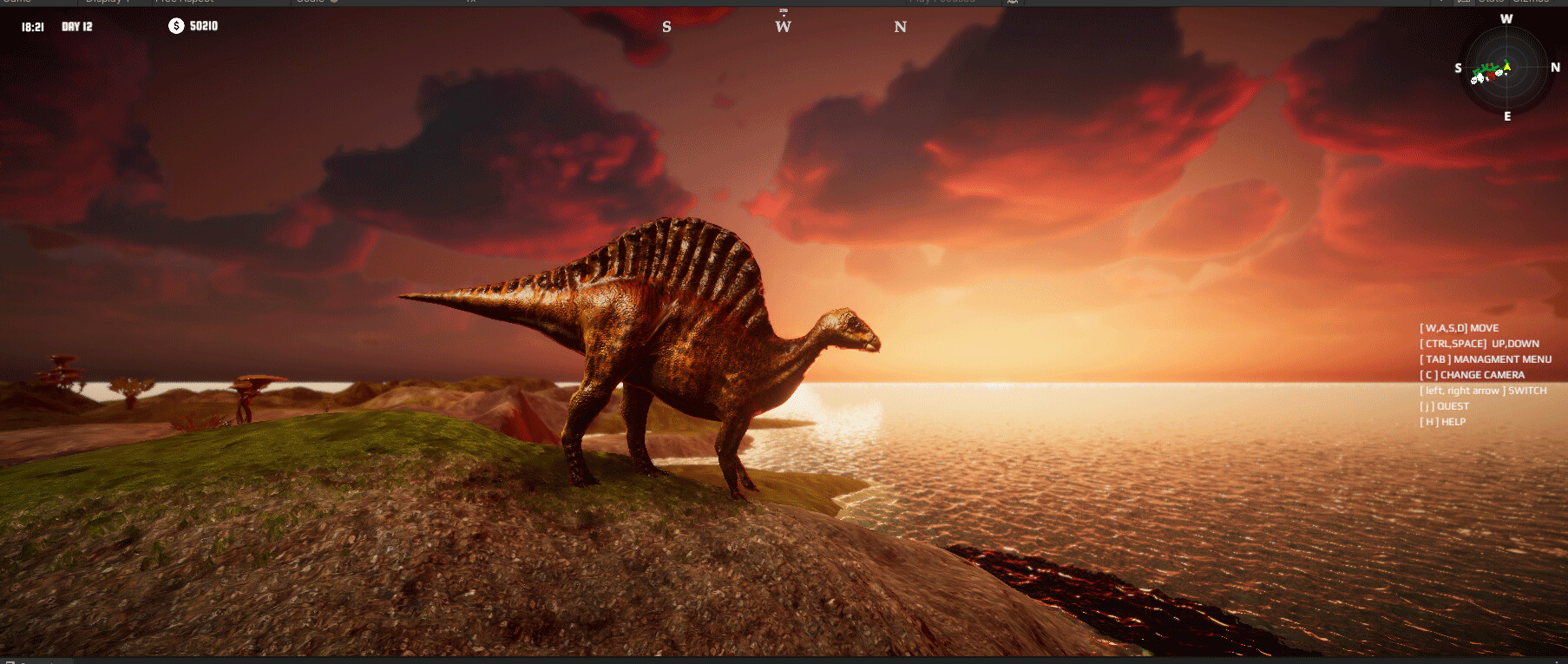
Dinosaur’s island editor, dense herds, water simulation, and optional split-screen can push hardware harder than a quiet menu screenshot suggests. This Performance Tips page translates Steam’s minimum/recommended specs into practical habits for app 3294300 ahead of the August 13, 2026 release. Pair it with System Requirements and Controls.
Specs reminder
Minimum: Windows 10, Core i7-2600-class CPU, 6 GB RAM, basic GPU, 6 GB storage.
Recommended: Windows 10/11, Intel i7-9700-class CPU, 12 GB RAM, RTX 2070-class GPU, 6 GB storage.
Minimum is enough to learn Creative on a compact map. Recommended is the safer target for Classic herds, FPS Survival action, and co-op.
Steam Deck status
Steam Deck compatibility is unknown in public listings as of pre-release. Do not assume verified play. If you try Deck after launch, start on low settings, compact maps, and single-player Creative before Classic density or Remote Play hosting.
Editor-side habits that save frames
- Prefer compact maps early (Maps Overview).
- Avoid filling ~80 variants on day one (Male & Female Variants).
- Limit simultaneous particle-heavy weather experiments if the shipping build exposes them.
- Sculpt in passes—massive brush spam plus huge herds is the classic hitch recipe (Island Editor).
Population density rules
Performance and ecology share a lesson: fewer healthy animals beat crowded chaos. Classic parks should expand only after needs stabilize (Ecosystem & Symbiosis). FPS Survival benefits from readable cover, not maximum spawn counts (FPS Survival).
Split-screen and Remote Play Together
Two cameras roughly double framing cost. Use compact basins for Local Co-op. Hosts for Remote Play Together should sit near recommended GPU tier, use wired Ethernet, and close background overlays.
Suggested settings ladder (post-launch)
Until final menus ship, plan this order when toggles appear:
- Cap framerate to your display’s comfort zone
- Lower shadows and volumetric effects first
- Reduce view distance before gutting textures entirely
- Disable expensive anti-aliasing if editor hitching persists
- Keep UI scale readable—misclicks cost more time than frames
Storage and patch hygiene
Leave free SSD space beyond the 6 GB minimum for day-one patches. Track changes on the Updates Hub and Roadmap.
Controller vs mouse performance myth
Input device barely changes GPU load. Pick what you aim better with—see Controller Guide—and spend optimization budget on herds and resolution.
Troubleshooting checklist
- Update GPU drivers before launch week
- Verify Steam files if stutter appears after a patch
- Test a fresh Creative compact save to isolate map density issues
- Disable overlapping recording overlays while diagnosing
Related reading
Smooth islands are planned islands. Performance is part of the build.
Launch-week profiling routine
On day one, create three Creative saves on a compact basin: empty editor-only, modest herbivore park, and dense mixed park. Compare frame times before blaming the GPU for Classic Mode itself. If only the dense save hitchs, cut variant counts using the Male & Female Variants stocking order instead of lowering every visual toggle to potato mode.
When FPS Survival feels choppy, ask whether the map archetype is too open. Wide plains force long draw distances; switch to a medium coast from the Maps Overview until settings are tuned. Editor hitching during aggressive brush spam is different from combat hitching—isolate the scenario before changing five options at once.
Co-op performance etiquette
Agree that the host owns graphics settings. Guests should not demand max foliage while streaming Remote Play Together. Keep Discord overlays and browser GPU tabs closed during diagnosis. If one player insists on a max-size showcase map, schedule that session for a recommended-class machine night, not a minimum-spec lunch break.
After patches
Every patch can change herd AI tick costs or water effects. Re-run the three-save profile after updates listed on the Updates Hub. If a patch improves Classic stability but worsens editor brushes, prefer mouse-driven sculpting sessions on lower view distance—see Controller Guide for hybrid input habits.
Document your working preset (resolution, shadows, view distance, AA) in a text file next to your wishlist notes from the Pre-Release Review. Future you will thank present you when a surprise hotfix resets configs.
Frequently Asked Questions
Quick answers about Dinosaur on Steam.
Can Dinosaur run on Steam Deck?
Public listings still show Steam Deck compatibility as unknown. Treat Deck as experimental after launch and start with low settings on compact maps.
Why does split-screen feel heavier?
Two cameras roughly double rendering work. Use smaller maps and recommended-class GPUs for co-op comfort.
What should I lower first if FPS drops?
Shadows, volumetric effects, and view distance usually recover more frames than slamming every texture to minimum immediately.
Do more dinosaur variants always lower FPS?
Dense active populations and effects cost more than a static checklist. Stock fewer healthy animals on mid-range PCs.