How to Control Dinosaurs
Leave overview cameras, pilot any species, and diagnose hunger, territory, and hunt loops firsthand.
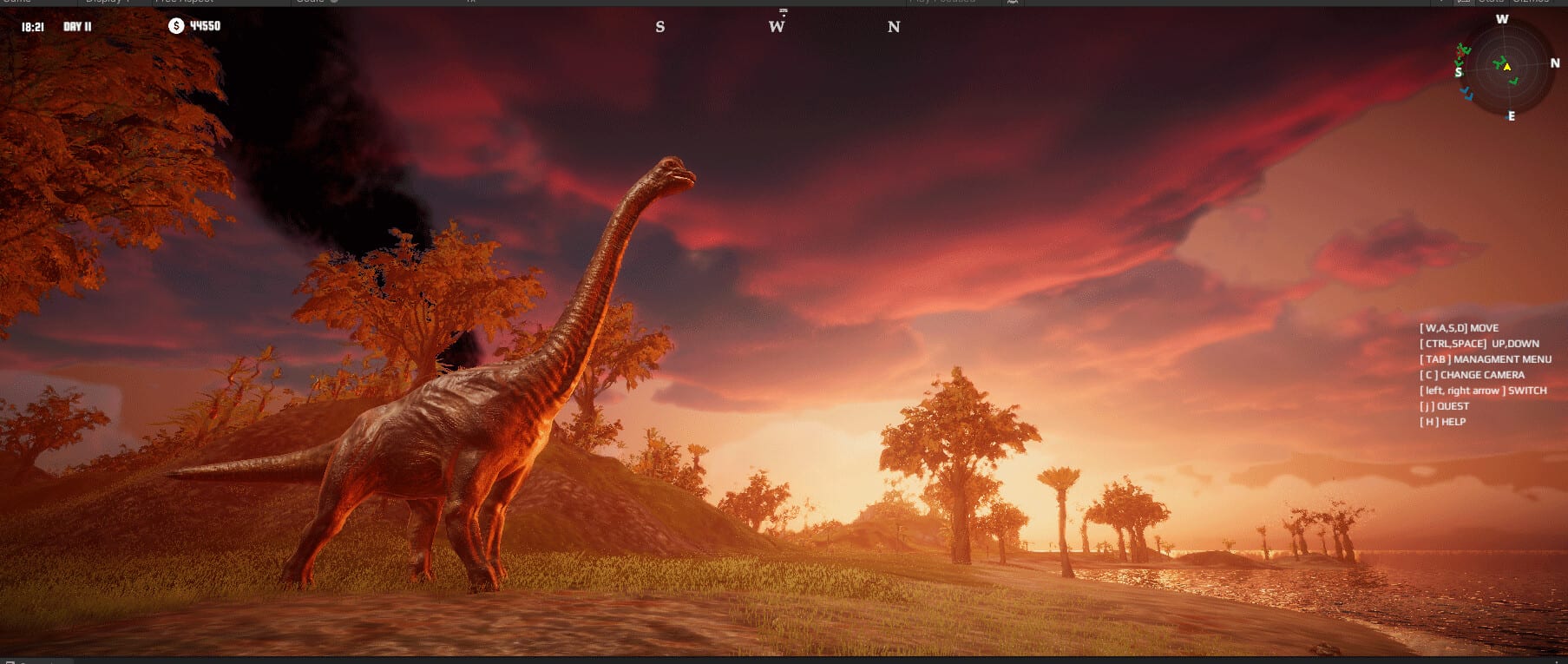
Dinosaur lets you personally control any dinosaur on your island—an uncommon twist for an island editor sim. That feature is not a gimmick bolted onto Creative mode; it is how you feel specific needs, test corridors you built in the editor, and survive FPS Survival pressure. This guide explains when to take control, how to choose which animal to pilot, how control differs across Classic, Creative, and FPS Survival, and how co-op partners can split “god view” versus “creature view” without chaos.
Dinosaur is upcoming on Steam for Windows PC (app 3294300, Dinosaur Master, August 13, 2026), English-only in-game, with local split-screen co-op and Remote Play Together. There are no redeem codes that unlock special control skins—practice does. If you still need that confirmed, see Codes, then come back to piloting.
Why personal control exists
Overview cameras are perfect for placing the 40+ species roster (about eighty male/female variants) across roughly fifteen maps. They are worse at answering grounded questions: Can this herbivore actually reach the forage patch behind the ridge? Does this carnivore pathing loop starve itself between hunts? Is the aquatic channel deep enough at the bend you sculpted? Personal control turns those questions into a short field test.
Control also teaches the fantasy the store page promises: you are not only a park planner—you can inhabit the ecosystem. Use that fantasy carefully. Spending an hour as an apex predator while ignoring collapsing herbivore needs is how Classic islands die. Treat control as a diagnostic tool and a play mode, not as permanent abandonment of management.
Before you possess a dinosaur
- Know your mode goal—read Game Modes if Classic balance, Creative sandbox, or FPS Survival stakes are unclear.
- Confirm the island has food, water, and space for the species you will pilot. Fix layout in Island Editor first.
- Review inputs on Controls so camera invert, sprint, and interact keys are settled.
- If a friend is present, agree who pilots and who watches needs in overview—see Local Co-op.
- Pick a mid-tier animal for your first flights: extreme apex carnivores and fragile specialists punish learning mistakes.
New players should finish Getting Started before long control sessions so they recognize needs language in English UI.
Choosing which dinosaur to control
Herbivores teach map readability and forage routes. They reveal dead-end valleys and unsafe beaches quickly because they wander while grazing.
Carnivores teach hunt timing and prey density. If every chase ends with no food, your ecosystem is already failing—open Ecosystem & Symbiosis before blaming “bad AI.”
Aquatic dinosaurs validate water continuity. If you beach yourself repeatedly, the editor channel is wrong, not your fingers.
Pterosaurs validate vertical space and landing options. Cluttered cliffs that looked fine from orbit become obvious hazards in the air.
Use the Tier List to avoid starting with the highest-maintenance species. Male and female variants can differ in presentation; treat needs as species-first unless the UI shows otherwise.
Control loops that improve islands
Run short loops with intent:
- Commute test: Pilot from nest or herd center to primary food and water. Time the trip. If it is absurdly long, shorten terrain or relocate the group.
- Pressure test: As a carnivore, attempt two hunts. If prey vanishes permanently, your Classic island lacks renewal.
- Escape test: As prey, flee along the corridor you designed. If you trap yourself, widen paths.
- Landmark test: In FPS Survival especially, note silhouettes you can recognize while stressed—rebuild landmarks if the map feels samey.
After each loop, exit control and adjust the editor. Control without editing is tourism; editing without control is guesswork.
Mode-specific advice
Creative. Use control to tour showpiece islands and film friendly co-op moments. You can still learn needs, but failure is soft—perfect for teaching a second player how dinosaurs move before Classic stakes.
Classic. Control is a stethoscope. When a population dips, possess a representative animal and watch what it struggles to find. Then fix symbiosis factors rather than dumping more animals into a broken biome.
FPS Survival. Control is the game. Hunger, predators, and terrain mistakes are lethal. Build or choose maps that are fair to traverse, then lean on FPS Survival for mode rules and mindset. Keep a Creative backup island for experiments so a death does not erase your only layout.
Co-op: split roles cleanly
Local split-screen and Remote Play Together work well when one player pilots a shepherd herbivore while the other monitors herd counts, or when one player hunts as a carnivore while the other repositions prey groups ethically for a shared goal. Bad co-op looks like both players fighting the camera and the editor simultaneously.
Agree on:
- Who may edit terrain during a control session
- Whether hunting friendly herds is allowed
- When to swap who pilots the “important” animal
- Performance limits if dual views stutter—consult System Requirements
Keep Controls visible on a second monitor or phone if you are still learning bindings.
Common mistakes
- Piloting an apex carnivore on a map with three prey animals total
- Ignoring aquatic and pterosaur needs because land herbivores “look fine” from orbit
- Using control to ignore Classic management until mass starvation hits
- Building decorative geometry that is unclimbable once you are inside a dinosaur body
- Expecting redeem codes or unlocks to solve movement issues—they do not exist for Dinosaur
Practice plan for the first week after launch
Day 1–2: Control herbivores on a small Creative map from Island Editor practice. Day 3: Add a cautious carnivore control session and repair prey density with Ecosystem & Symbiosis. Day 4: Try aquatic or pterosaur control on a coastal layout such as those featured across the ~15-map set. Day 5+: Sample FPS Survival on a disposable island. Track the August 13, 2026 Steam release timing via Release Date, and keep the Wiki handy for cross-links into tools and rankings.
Personal control is how Dinosaur turns an editor into a living place. Use it to listen to the island—then edit until what you feel matches what you intended.
Frequently Asked Questions
Quick answers about Dinosaur on Steam.
Can I control every dinosaur species?
Dinosaur is designed so you can personally control any dinosaur on the island, including herbivores, carnivores, aquatic dinosaurs, and pterosaurs across the 40+ species roster.
Is personal control only for FPS Survival?
No. You can take control in other modes to scout and diagnose needs. FPS Survival simply makes survival-focused control the center of the session.
What should I control first as a beginner?
A mid-tier herbivore on a small Creative map. Learn movement and forage routes before piloting apex carnivores or fragile specialists.
How does co-op work with dinosaur control?
In local split-screen or Remote Play Together, assign one player to pilot while the other manages overview or light editing. Agree on hunting rules so you do not collapse shared herds by accident.
Do I need special unlocks or codes to control dinosaurs?
No. Dinosaur has no redeem codes. Control is part of the core fantasy—practice and readable maps matter more than unlocks.