Getting Started with Dinosaur
Install, pick a mode, build a stable first island, and learn species needs without wasting early hours.
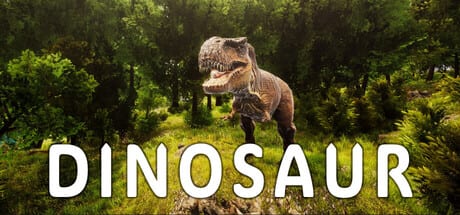
Dinosaur is an upcoming Steam PC island editor simulation from Dinosaur Master (app 3294300), releasing August 13, 2026. This Getting Started guide is the practical first-hour path: verify your machine, understand what the game is (and is not), open the editor on a manageable map, place a starter mix of dinosaurs, and learn when to take personal control. The game is English-only in-game, supports local split-screen co-op plus Remote Play Together, and does not ship redeem codes.
If you only skim one page before launch day, make it this one—then branch into Game Modes, Island Editor, and Ecosystem & Symbiosis as your first save grows.
Confirm platform, language, and hardware
Dinosaur targets Steam on Windows PC. Before you invest time in a large island, open System Requirements and compare your GPU, CPU, and storage to the Steam listing. Editor sessions with dense herds, water, and pterosaur traffic can be heavier than a quiet Classic view, so leave headroom if you plan Creative sandboxes or FPS Survival chases.
In-game language is English only. That matters for UI labels, needs tooltips, and co-op callouts: if you play with a friend over Remote Play Together, agree on English terms for hunger, territory, and mode names so you are not talking past each other. For a broader orientation beyond this tutorial tree, skim the Wiki after you finish the steps below.
What Dinosaur is on day one
Think of Dinosaur as three overlapping toys: an island editor across roughly fifteen maps; a living roster of 40+ species (about eighty male/female variants) spanning herbivores, carnivores, aquatic dinosaurs, and pterosaurs; and a control layer that lets you personally pilot any dinosaur when you want ground-level feedback. Modes reshape the fantasy—Classic for managed balance, Creative for unrestricted building, FPS Survival for risk-first play—but the editor and needs systems stay central.
Dinosaur is not a codes-driven live service. There is no redeem flow to farm currency at launch. Visit Codes only if you need the explicit “no codes” confirmation; then return here and spend your time on maps and species instead.
First launch checklist
- Install from Steam and verify the install folder has enough free space for future patches after the August 13, 2026 release.
- Set display and control preferences early. Bookmark Controls so camera, movement, and editor shortcuts are one click away during your first session.
- Choose a small or mid-size map from the ~15 available—avoid the most sprawling layouts until you understand placement density.
- Enter Creative if you want a pressure-free tutorial island, or Classic if you prefer needs and balance from minute one. Read Game Modes before locking a long campaign save.
- Place a modest herbivore group before any apex carnivore. Confirm food, water, and space, then add diversity slowly.
- Practice taking control of one mid-tier dinosaur for a short walk. Use Control Dinosaurs to learn when personal control diagnoses problems better than overview cameras.
- If a second player is joining, configure local split-screen or Remote Play Together using Local Co-op before you build a fragile ecosystem.
Build a “training island,” not a masterpiece
Your first island should teach feedback loops, not win a screenshot contest. Pick coastal or inland terrain you can read at a glance. Use the Island Planner to jot intended biomes, water access, and which groups you will unlock first. Keep herds small: a few compatible herbivores, one water feature, clear paths, and empty buffer zones where you can later add carnivores or aquatic species.
Open Island Editor for terrain and placement habits—flatten staging areas, avoid trapping animals in narrow ravines, and leave flight space if you plan pterosaurs later. Resist the urge to drop every species category on hour one. Aquatic dinosaurs need reliable water routes; carnivores need prey density you can actually sustain; pterosaurs punish cluttered airspace and starving roosts.
Learn needs before you learn spectacle
Every dinosaur has specific needs. Symbiosis is the long-term win condition: herbivores thrive when forage and space are honest; carnivores thrive when prey renews instead of vanishing in one hunt; mixed islands thrive when territories overlap just enough to feel alive without cascading extinctions. Ecosystem & Symbiosis is the deep dive; here is the starter rule set:
- Feed the base of the pyramid first.
- Add predators only after herbivore groups recover from your test hunts.
- Watch water and shade as carefully as meat and plants.
- Separate experimental breeds onto a second peninsula if a mix looks unstable.
- Use personal control to feel hunger and stress that UI bars can understate.
When you want relative difficulty rankings—easy starter herbivores versus high-maintenance apex threats—cross-check the Tier List and then verify those picks against your map’s actual space.
Try personal control early (short sessions)
Controlling a dinosaur is not only for FPS Survival. A two-minute graze or scout run teaches collision, stamina, and how quickly a hungry animal drifts toward the wrong biome. After you are comfortable, sample FPS Survival on a disposable Creative-built map so death does not erase your only carefully balanced Classic save.
Co-op without chaos
Local split-screen co-op and Remote Play Together are excellent for teaching: one player edits terrain while the other shepherds a herd. Agree on rules before you start—Creative free-build, Classic shared goals, or Survival with limited respawns. Keep Controls open so neither player is hunting keybinds mid-crisis. If performance dips with two cameras, reduce active animals before you blame the hardware.
Launch-week expectations
Dinosaur is upcoming until August 13, 2026. Wishlist and hardware checks matter more than rumor-chasing in the final stretch—see Release Date for timing context. On launch week, expect to re-read this Getting Started flow after the first patch: map count (~15), species roster (40+ / ~80 variants), and mode names should stay consistent, but tuning around needs and FPS Survival can shift.
Where to go next
- Deep editor craft → Island Editor
- Mode choice → Game Modes
- Balance and symbiosis → Ecosystem & Symbiosis
- Direct play → Control Dinosaurs and FPS Survival
- Planning and inputs → Island Planner, Controls, System Requirements
- Multiplayer setup → Local Co-op
- Rankings and overview → Tier List, Wiki, Codes
Follow that path and your first islands will teach systems instead of punishing guesswork.
Frequently Asked Questions
Quick answers about Dinosaur on Steam.
When does Dinosaur release on Steam?
Dinosaur is scheduled for August 13, 2026 as an upcoming Steam PC Windows release (app 3294300). Check the Release Date page for countdown context and launch-week tips.
Should I start in Classic, Creative, or FPS Survival?
Creative is best for learning the island editor without failure pressure. Classic is best once you want needs and symbiosis to matter. FPS Survival is best after you understand maps and can control dinosaurs confidently.
Are there Dinosaur redeem codes for new players?
No. Dinosaur does not use redeem codes. Skip code hunting and spend your time on the editor, species needs, and mode tutorials linked from this guide.
Can I play with a friend on day one?
Yes. Dinosaur supports local split-screen co-op and Steam Remote Play Together. Configure controls first, then agree on Creative versus Classic rules so you do not overwrite each other’s plans.
How many dinosaurs should I place on my first island?
Start small: a handful of compatible herbivores, reliable water, and clear space. Add carnivores, aquatic species, or pterosaurs only after the base group stays healthy through several cycles.